Introductory HTML and JavaScript
HTML Book
Introduction
How People Access the Web :
- Web browser :Software allow you to visit and access the websites (safari,google chroom,opera ,…)
- Web Servers :Are special computers connected to the internet, when you visit the website, you sent a request to this machine to visit the website.
- Devices : we have a diiferent devices and connections.
- Screen readers:are programs that read out the contents of a computer screen to a user.
HTML Chapter 1 (Structure) ::
- HTML pages contain a set or group of tags , this tags will determine the Structure and content of your website.
- HTML refer to Hyper Text Markup Language .
-
HTML contain a tags , each tag has a different usage that called a elements.
- Important elements that should be in every website :
- The opening
<html>tag indicates that anything between it and a closing</html>tag is HTML code. <head> .. </head>contain a meta data and the information that will not show in website .- The
<body>tag indicates that anything between it and the closing</body>tag should be shown inside the main browser window.
- The opening
- elements usually have a opening tag and closing tag (for example :
<p> </p>), and some element ( for example :<img>) don’t have a closing tag. - Attributes provide additional information about the contents of an element.
- each attribute contain a Attribute_name and value
<p id="id1"> </p>, id is a Attributes_name and id1 the value.
HTML Chapter 8 (Extra Markup) ::
<! DOCTYPE ......>to tell a browser which version of HTML the page is using.<!-- -->make a comment are not visible to users in the main browser window in HTML<!-- comment goes here -->.- id attribute used to uniquely identify that element from other elements on the page. Its value should start with a letter or an underscore (not a number or any other character).
- class attribute identify several element as being different from the other elements on the page.
- BLOCK ELEMENT start on a new line in the browser window (
<p>,<h1>). - INLINE ELEMENT appear to continue on the same line as their neighbouring elements(
<span>,<a>). <span>element acts like an inline equivalent of the<div>element. It is used to either:Contain a section of text where there is no other suitable element to differentiate it from its surrounding text , Contain a number of inline elements The most common reason why people use<span>elements is so that they can control the appearance of the content of these elements using CSS.-
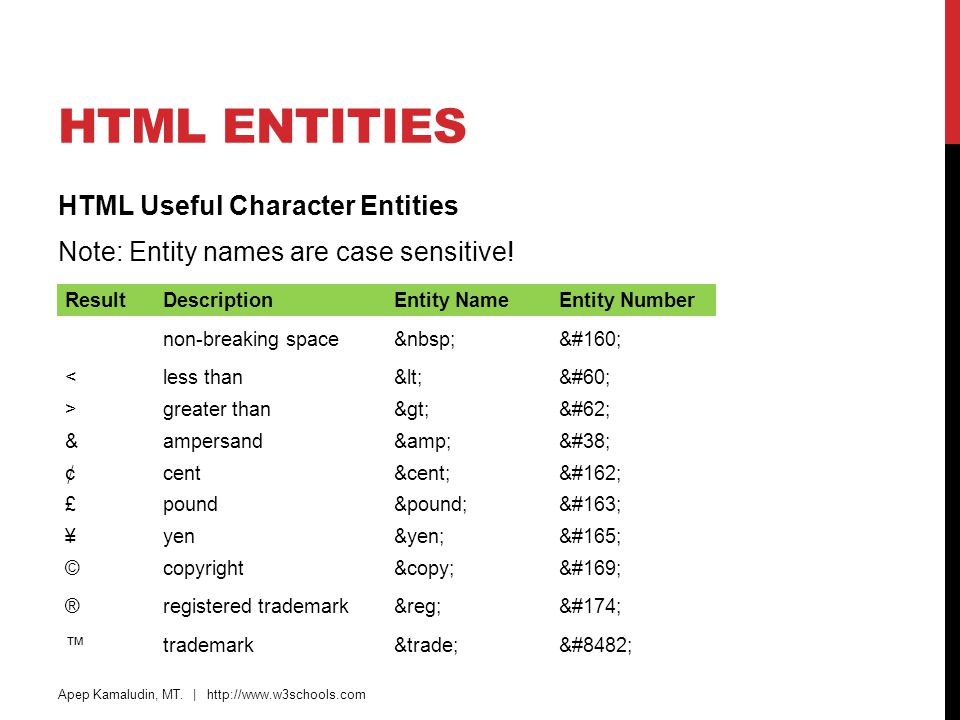
<iframe>common use to embed a Google Map into a page.srcThe src attribute specifies the URL of the page to show in the frame.heightThe height attribute specifies the height of the iframe in pixels.widthThe width attribute specifies the width of the iframe in pixels.scrollingindicates whether the iframe should have scrollbars or not ,frameborderindicates whether the frame should have a border or not.seamlesswhere crollbars are not desired. - special symbols
HTML Chapter 17 (HTML5 Layout) ::

- HTML5 introduces a new set of elements that allow you to divide up the parts of a page. The names of these elements indicate the kind of content you will find in them.
<header>,<footer>The main header or footer that appears at the top or bottom of every page on the site.<nav>navigation bar contain the main links (pages) on your website<section>element groups related content together, and typically each section would have its own heading.<aside>When the<aside>element is used inside an<article>element, it should contain information that is related to the article ,When the<aside>element is used outside of an<article>element, it acts as a container for content that is related to the entire page<article>container for any section of a page that could stand alone and potentially be syndicated.<hgroup>to group together a set of one or more<h1>through<h6>elements.<figure>contain images, Videos, Graphs,Diagrams, Code samples ,Text that supports the main body of an article.<figcaption>which provides a text decription for the content of the<figure>element.- ` <div>` element will remain an important way to group together related elements.
- Older browsers that do not understand HTML5 elements need to be told which elements are block-level elements.
HTML Chapter 18 (Process & Design) ::
-
Every website should be designed for the target audience , you should determine who people will visit your website and why and what they need , and ask yourself set of questions to make determine the target more easily.
-
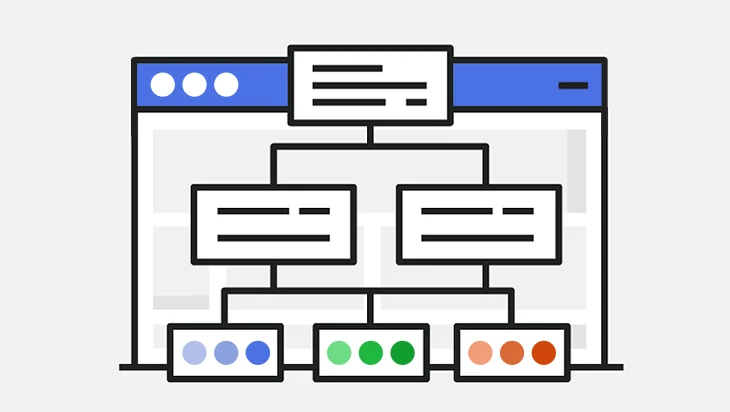
Should determine the sitemap to make the designing step more easily.that allow you to plan the structure of a site
-
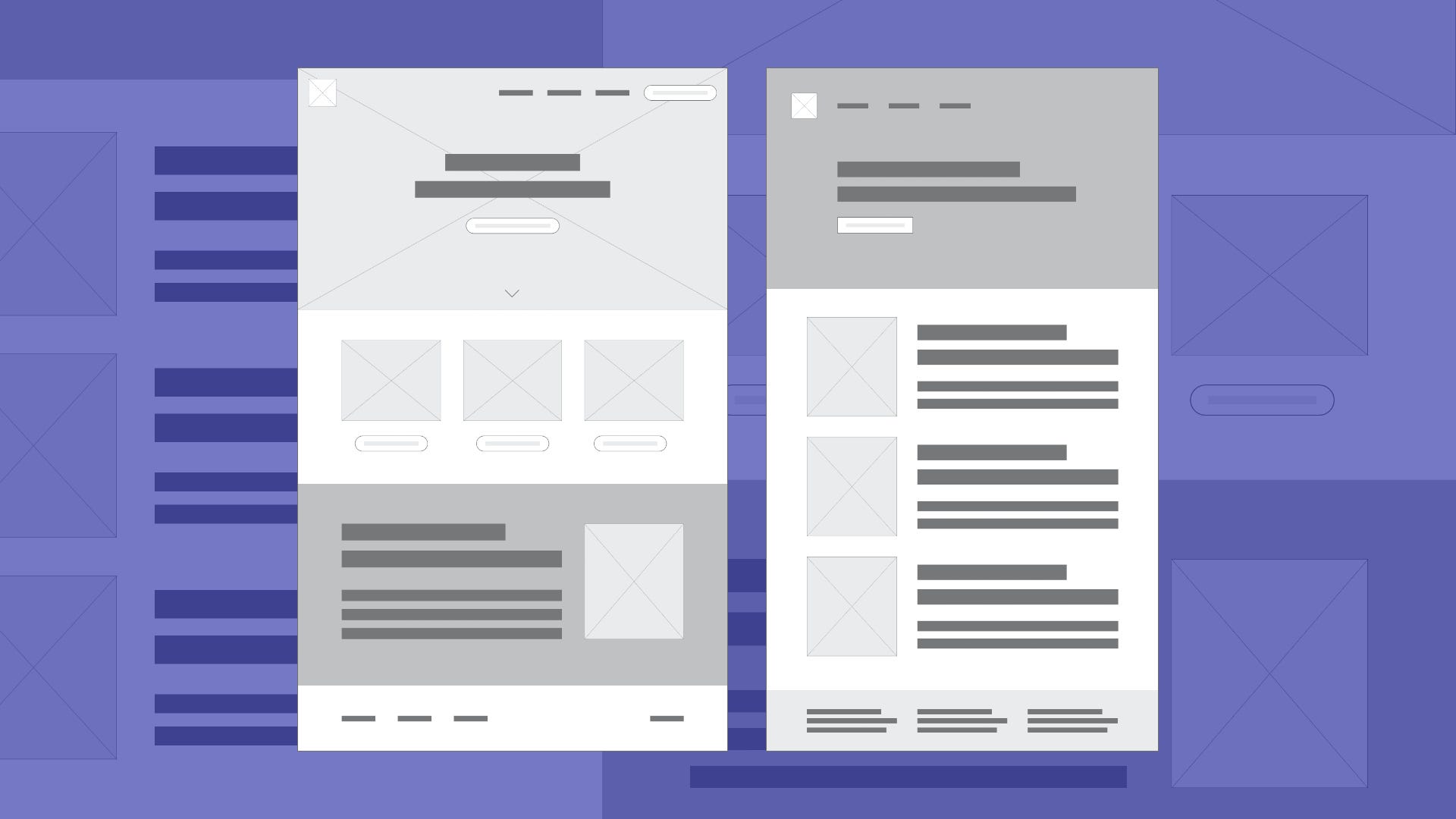
WireFrames A wireframe is a simple sketch of the key information that needs to go on each page of a site. It shows the hierarchy of the information and how much space it might require.
-
Manage the content to Organizing and prioritizing information on a page helps users understand its importance and what order to read it in.
-
Visual hierarchy You can use contrast (size, color ,style) to create a visual hierarchy that gets across your key message and helps users find what they are looking for.
-
Grouping and Similarity organize visual elements into groups (Proximity,Closure,White Sp ace,Continuance,color,Borders)
-
Designing Navigation helps people find where they want to go and understand what your site is about and how it is organized (Concise,Clear,Selective,Context,Interactive,Consistent)
JavaScript Book
Introduction :
why we use JAvaScript :
- Allows you to ACCESS content .
- Allows you to MODIFY content .
- program results while you writing a steps , the browser will following and executing the steps.
- React to to events triggered by the user or browser(when you press to any key from keyboard , clicked the mouse , double clicked ,.. all of them called event ) .
Chapter 1 (The ABC of Programming) ::
WRITING A SCRIPT :
-
The fist step is DEFINE the goal then DESIGN then CODE EACH STEP .
- To write a clear code you should learn :
- Vocabulary:The words that computers understand.
- Syntax: How you put those words together to create instructions computers can follow.
- what might have gone wrong - programmers call debugging.
- Computers approach tasks in a different way than humans, so your instructions must let the computer solve the task prggrammatically.
What happens when you entered your name inside input feild and press to btn (ok)?
- The script is triggered when the button is clicked.
- It collects the name entered into the form field.
- It checks that the user has entered a value.
- If the user has not entered anything, a message will appear telling them to enter a name.
Expressions & Operators:
Expressions :
- there are two types of expressions:
- EXPRESSIONS THAT JUST ASSIGN A VALUE TO A VARIABLE ` var name=”Sohaib” `
- EXPRESSIONS THAT USE TWO OR MORE VALUES TO RETURN A SINGLE VALUE ` var area =5*2 `. the value that stored in area var is 10 .
Operators :
- ASSIGNMENT OPERATORS ` var name = “Sohaib” ; ` here we assgin the value to the variable.`
- STRING OPERATORS ` var fullName =’Sohaib’+’Masalha’ ;
Also MIXING NUMBERS AND STRINGS equal STRING‘5’ + 5 = 55 ` , the result ‘55’ is string. - COMPARISON OPERATORS ` var cond = 3 > 5; `
- LOGICAL OPERATORS
var cond = (5 > 3) && (2 < 4); - ARITHMETIC OPERATORS ` var area = 3 * 2;`
Functions :
- function indicate to set of statements that written for acheive specific gaol.
- you can reuse the function.
- every function contain NAME should describe the task it is performing. when you ask it to perform its task, it is known as calling the function.
- Some functions need to provided with information in order to achieve a given task. this information called parameters
- When you write a function and you expect it to provide you with an answer, the response is known as a return value.